
Inmate Inbox
Inmate InboxCommunication
4.2207.00 Reviews
- Version
- 4.16
- Installs
- 100.00K
- Age Rating
- Everyone
Screenshots
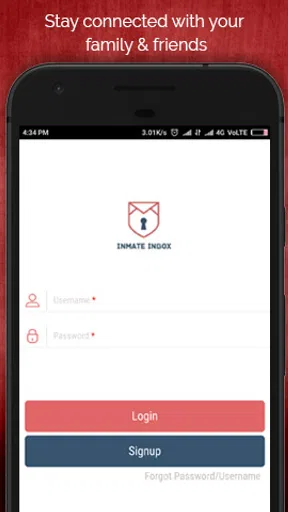
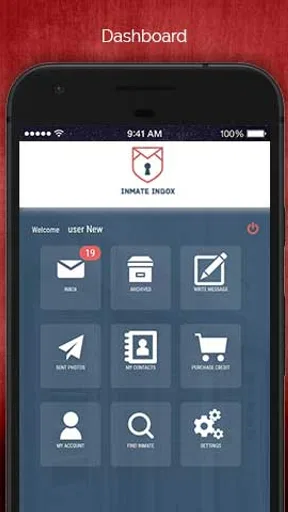
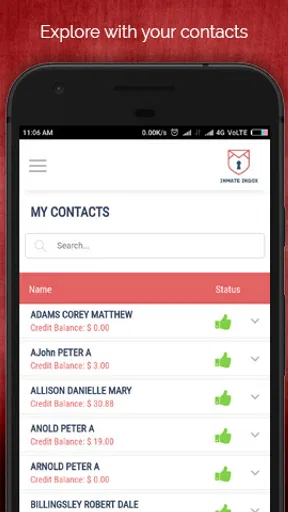
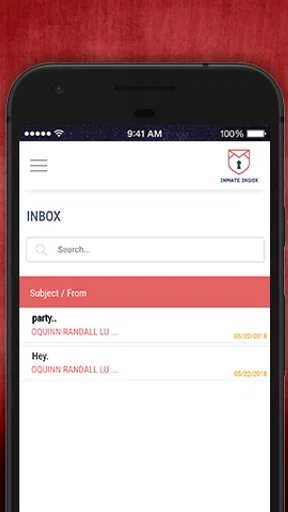
Our Review of Inmate Inbox
 Analysis by Appyee
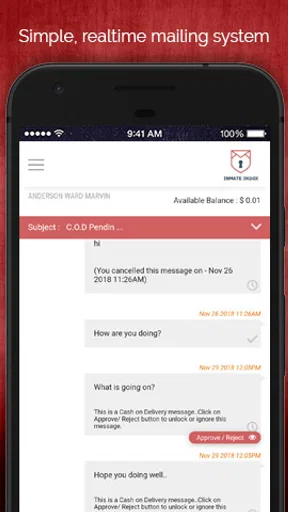
Staying in touch with someone in custody is rarely as simple as sending an ordinary text. Inmate Inbox is built for that specific communication problem, and after using it, I found its main strength is focus: it is not trying to be a general chat app, a social network, or an all-purpose messaging service. It is a communication app from Inmate Inbox aimed at helping families and friends maintain contact with an incarcerated person through a more suitable channel.
My overall view is positive, but with an important qualification. This is useful when your communication needs are centered on one person in custody and the service available to that person supports it. It can make an emotionally important routine easier to manage, yet it is not a universal replacement for ordinary messaging. The value depends heavily on whether it fits the correctional communication setup you already need to use.
What using Inmate Inbox feels like in everyday communication
The app belongs to the communication category, but its purpose gives it a very different feel from familiar choices such as WhatsApp, Messenger, or standard SMS. Those services are designed around instant conversations between people who can freely use their phones. Inmate Inbox addresses a situation where communication is more structured, less immediate, and often more dependent on an approved process.
I appreciate that distinction because it sets a realistic expectation from the beginning. You are not installing this to create a lively group chat or to replace every messaging tool on your phone. You are installing it because keeping a relationship active with someone in custody requires a dedicated route. That narrower purpose is also why the app can feel more relevant than a mainstream messenger, even if it does not offer the same casual speed or flexibility.
A typical use case is a family member who wants to maintain a dependable rhythm of contact rather than wait until communication becomes an afterthought. You might use the app to organize your side of the conversation, send a thoughtful message when you have time, and return to the same communication channel instead of juggling unrelated services. For a partner, parent, sibling, or close friend, that continuity matters. The app’s practical benefit is not just sending words; it is helping preserve a habit of contact.
That habit is especially important when conversations cannot happen whenever both people feel like calling. A normal messenger encourages quick replies and constant availability. Communication connected to incarceration often demands more patience and planning. Inmate Inbox makes more sense when you treat it as part of a longer-term relationship routine: write clearly, check the app deliberately, and avoid assuming that a message will behave like an instant text.
A focused tool rather than a conventional chat app
The strongest evidence in favor of this app is that it is designed around a real communication gap. Many general messaging platforms are excellent for friends who share the same digital freedom, but they are not designed around the needs of families communicating with someone in custody. A dedicated app can reduce that mismatch by putting the relevant task in one place.
I also found the focused design easier to understand than the broad feature sets of large social platforms. There are fewer distractions competing for attention. When the reason for opening an app is emotionally important, avoiding a feed, unrelated notifications, and social clutter is a genuine advantage. You can approach the conversation as communication, not as another stream of online activity.
One useful workflow is to prepare messages when you are calm rather than writing in a hurry. If you are sending news about family life, encouragement, or practical details, drafting with care can prevent misunderstandings. This is more valuable here than it might be in a casual chat because the opportunity to clarify a sentence may not be immediate. I recommend writing as though the recipient will read the message once and sit with it for a while.
Another practical tip is to make the app part of a personal schedule. Instead of opening it only when you feel worried or guilty about not communicating, choose a regular moment to check for activity and prepare a response. That approach turns the app into a manageable routine. It also helps families coordinate their attention without sending rushed or repetitive messages.
A third insight is that the app is best used for meaningful continuity, not for constant updates. If you expect the same rapid back-and-forth as a conventional messenger, frustration is likely. If you use it to share encouragement, family milestones, questions, and carefully written news, its specialized purpose becomes clearer. The trade-off is slower, more deliberate communication in exchange for a channel aimed at this particular situation.
What families should understand before relying on it
The first question many people will have is whether it works for every incarcerated person. I would not assume that. The usefulness of any custody-focused communication app depends on the communication arrangements available to the recipient and the institution involved. Before making it the center of your contact plan, confirm that the person you want to reach can use the service within their circumstances.
That is not a criticism unique to this app; it is part of the environment it serves. Still, it is an important practical distinction from ordinary messaging. With a mainstream app, both users generally install it and begin chatting. Here, the relationship between the app and the recipient’s available communication system matters. A careful user should treat compatibility as the first checkpoint, not something to discover after investing time in setup.
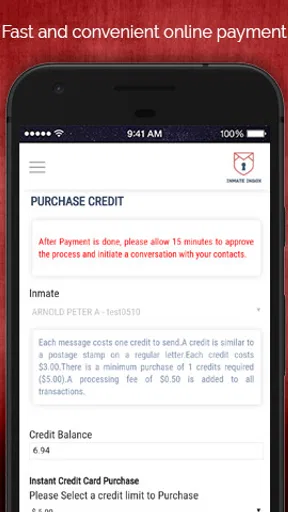
The second question is whether the app is free. Inmate Inbox is free to install, which makes trying it less risky than committing to an expensive communication tool at the outset. However, it includes in-app purchases priced from $7.21 to $20.00 per item. That means the download price is not the whole financial picture. I would decide on a spending limit before using paid items, particularly if several family members may contribute to communication costs.
This pricing structure creates a meaningful trade-off. Free access lowers the barrier for families who simply want to explore the service, while paid items may become part of continued use. The right approach is to look at the app as a communication budget decision rather than assuming that “free” means every part of the experience will remain free. Keeping receipts and agreeing within the family who handles purchases can prevent avoidable confusion.
The third question is whether it is suitable for children. The app carries an Everyone content rating, but that label should not replace parental judgment. The communication subject itself may involve complicated family circumstances, and adults should decide how a child participates. For a grown-up managing contact with a relative, the age rating is reassuring from a store-classification perspective; for a child using the app independently, supervision and context still matter.
Where the experience can feel limited
My main reservation is that the app’s specialized purpose also narrows its appeal. If you are looking for a broad communication platform for work, friends, group planning, media sharing, and everyday social life, this is not the right choice. WhatsApp, Messenger, or regular texting will usually be more convenient for people who can use those services freely. Inmate Inbox earns its place only when its custody-focused role matches your situation.
I would also avoid treating it as a guaranteed real-time conversation tool. The emotional expectation of an instant reply can make any delay feel personal, even when it is simply part of the communication process. A healthier approach is to write messages that stand on their own and allow room for waiting. That is a change in behavior for users accustomed to seeing typing indicators and immediate responses.
There is also a learning curve that comes from the context rather than from complicated technology. New users may need to understand who can be contacted, how the intended recipient accesses communication, and when the app should be checked. I found that the best way to reduce friction is to settle those practical questions before sending an important message. A short planning conversation with family members can be more valuable than repeatedly experimenting inside the app.
People who need highly expressive, spontaneous conversation may find the experience restrictive. Someone who wants to share a constant stream of photos, react instantly, or maintain several lively group chats would probably be happier with a mainstream platform where those behaviors are central. Inmate Inbox is better suited to intentional contact, where the quality and consistency of the message matter more than the speed of the exchange.
Who will get the most from it
I would recommend this app first to relatives and close friends who are actively trying to maintain contact with someone in custody. It is particularly sensible for people who have struggled to make ordinary communication tools fit this situation. The focused purpose gives them a clearer place to begin, and the free installation allows them to assess whether it belongs in their routine before spending money on optional items.
It can also help a family that wants one person to coordinate communication. For example, one relative might use the app to keep track of messages and share important news with other family members outside the service. That does not turn the app into a family management system, but it can encourage a more deliberate approach: agree on what needs to be communicated, avoid contradictory updates, and make each message easier for the recipient to follow.
Another good fit is the person who values written communication over occasional rushed calls. Writing gives you time to choose your words, explain a family event, or offer encouragement without trying to cover everything in a short conversation. It can also create a more thoughtful record of the relationship from the sender’s side, provided you manage that record responsibly and do not rely on it as the only place for important personal information.
I would tell frequent travelers and busy workers to consider it if they need a dedicated way to communicate during small pockets of free time. A message can be prepared when the sender is available, rather than requiring both people to be free simultaneously. The app works best for this audience when they accept that convenience means easier preparation and organization, not necessarily instant delivery or instant replies.
On the other hand, I would suggest skipping it if the intended recipient cannot access the relevant communication arrangement, if you only need ordinary texting with people outside custody, or if you are unwilling to manage possible in-app spending. I would also steer away from it for anyone expecting a full social platform. Its value is specific, and using it outside that specific need would make its limitations more noticeable than its strengths.
Practical details and long-term confidence
Inmate Inbox was released on May 25, 2018, and the current version is 4.16. It supports devices running Android 7.0 or later. Those details make it accessible to many Android users, including people who keep an older phone rather than upgrading frequently. I still recommend checking the device requirement before installation, especially if the app is intended for a family member using an older handset.
The developer is Inmate Inbox, and the app has reached over 100 thousand installs. Its average rating is 4.2 from around 710 ratings, with about 207 written reviews. Those figures suggest that many users find it useful, while the existence of mixed experiences is a reminder not to treat a rating as a promise that the app will fit every institution, family, or communication pattern.
For me, the rating is most helpful as a sign that the app has found a real audience rather than as proof of a flawless experience. A custody-focused communication tool will naturally receive feedback shaped by circumstances outside the app itself. That is why I would weigh the app’s purpose and your recipient’s access more heavily than the score alone.
Before committing to it, I would prepare three things: the recipient’s relevant details, a realistic communication schedule, and a clear family budget for optional purchases. I would also write a first message that is warm but uncomplicated. Starting with a simple, complete note makes it easier to judge whether the app fits your needs than sending several fragmented messages while still learning the process.
Privacy and emotional boundaries deserve attention too. Do not use a specialized messaging app as a place to store every sensitive family document or financial detail simply because it is convenient. Keep especially important information in an appropriate secure location, and make sure everyone involved understands what should and should not be shared through messages. The app can support a relationship, but it should not replace sensible judgment about personal information.
My verdict for families choosing a communication channel
After looking at its purpose, costs, device support, and realistic use cases, I see Inmate Inbox as a focused solution rather than a general messaging winner. It succeeds when the problem is clear: you want to stay connected with a family member or friend in custody and need a channel designed around that kind of contact. Its biggest strength is relevance, not a long list of features.
The limitations are equally clear. It may not suit every recipient, it is not built for the speed and breadth of ordinary chat platforms, and optional purchases mean users should plan spending instead of assuming that installation tells the whole cost story. Those are meaningful considerations, but they do not cancel out the app’s usefulness for the people it is actually intended to serve.
My recommendation is straightforward: if someone important to you is in custody and can access the communication service connected with this app, try it as a deliberate part of your contact routine. Start slowly, confirm the practical fit, and use written messages thoughtfully. If your needs are ordinary texting, broad social communication, or instant group conversation, choose a mainstream alternative instead.
Inmate Inbox is worth considering because it takes a difficult, specific communication need seriously. I would not recommend it to everyone, but for the right family or friend, a dedicated channel can make staying present feel more manageable and consistent. That focused usefulness is the reason I would keep it in mind when ordinary messaging simply does not match the situation.
Verdict
Strengths of Inmate Inbox
- Simple interface makes messaging easy for inmates and their contacts.
- Supports secure communication between approved contacts and correctional facilities.
- Messages can be sent from a phone without visiting a facility website.
- Contact management helps keep conversations organized in one place.
- Useful notifications can alert users when new messages arrive.
Limitations of Inmate Inbox
- Availability depends on whether the inmate’s facility supports Inmate Inbox.
- Messages may be reviewed or delayed by correctional facility staff.
- Some features or messages may require additional fees or credits.
- Account verification can be slower than with standard messaging apps.
- The app offers limited value for users without an approved inmate contact.
Similar Picks in This Category
View All
Google Messages
Google LLC4.6

Gmail
Google LLC4.1

Google Meet
Google LLC4.4

Google Chrome
Google LLC4.1

WhatsApp Messenger
WhatsApp LLC4.6

Carrier Services
Google LLC4.2
Frequently Asked Questions
What is Inmate Inbox, and what is it used for?
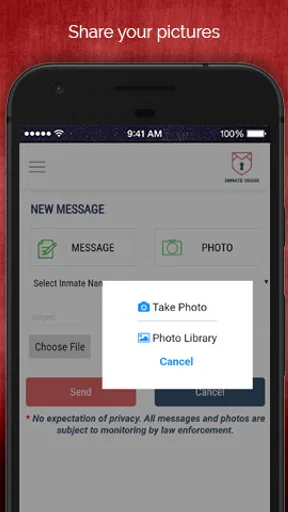
Inmate Inbox is a communication-focused application designed to help users stay connected with incarcerated individuals through digital messaging and related services. Depending on the facility and available features, users may be able to send messages, share approved photos, manage contacts, and receive notifications. Availability and functionality can vary by correctional institution, so checking whether the recipient’s facility is supported is important before downloading.
Can I use Inmate Inbox to message any inmate?
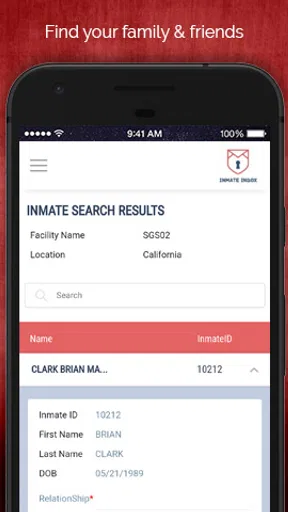
No. Inmate Inbox generally works only with correctional facilities and incarcerated individuals supported by its service network. Before creating an account, you may need to search for the relevant facility and confirm that the person you want to contact is listed. Messaging may also be subject to facility approval, account restrictions, identity verification, monitoring, and local communication policies.
Does Inmate Inbox cost money to use?
Downloading Inmate Inbox may be free, but some communication features can involve fees. Charges may apply to sending messages, attaching photos, purchasing credits, or using other facility-specific services. Prices and available payment options can differ depending on the institution and the type of communication. Review the displayed costs carefully before confirming a transaction, since fees may not be refundable.
Are messages and photos sent through Inmate Inbox private?
Users should not assume that communications sent through Inmate Inbox are private in the same way as ordinary personal messaging apps. Messages, images, and account activity may be reviewed, filtered, retained, or rejected according to correctional facility rules and applicable regulations. Avoid sending confidential information, prohibited content, or anything that could violate the recipient’s communication guidelines.
What should I do if a message is delayed, rejected, or the app does not work?
Communication can be delayed or declined because of facility schedules, content screening, account verification, technical problems, or changes in institutional policy. First, check your internet connection, app version, account balance, recipient details, and notification settings. If the issue continues, use the in-app support options or contact Inmate Inbox customer service, providing the facility name and transaction details where appropriate.
